
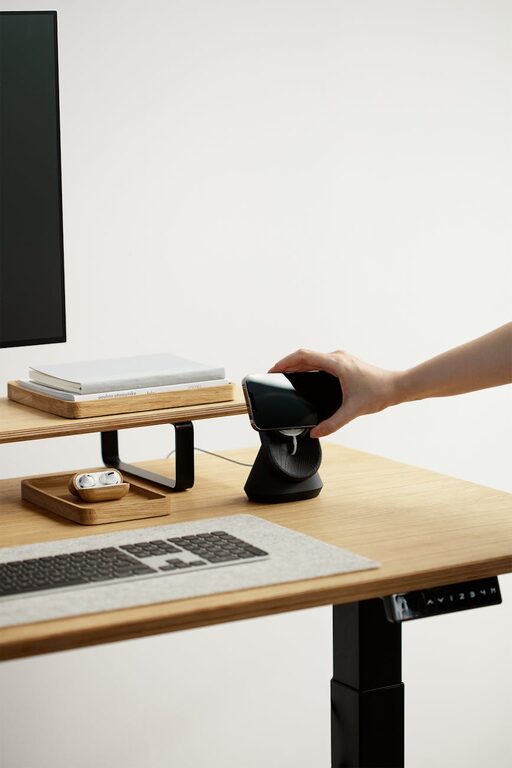
Creating an organized home workspace is essential for maintaining focus, reducing stress, and improving overall productivity. Whether you work remotely full-time or occasionally need a spot to complete tasks, a well-arranged area can make a significant difference. Here are helpful tips to help you design and maintain a home workspace that supports your best work.
1. Choose the Right Location
Prioritize a Quiet, Dedicated Space
Select a spot in your home that minimizes distractions. If possible, find a separate room, corner, or nook away from busy areas. Having a dedicated workspace helps your mind switch into “work mode,” promoting concentration.
Consider Natural Light and Ventilation
Natural light can improve mood and alertness. Position your desk near a window if possible. Also, good ventilation keeps the air fresh and contributes to a comfortable environment for longer work sessions.
2. Invest in Functional Furniture
Ergonomic Chair and Desk
Comfort matters. Invest in an ergonomic chair that supports good posture and a desk at the right height. Avoid working from couches or beds, which can cause discomfort and decrease productivity.
Adequate Surface Space
Your desk should have enough space for your computer, documents, and tools you use daily. Avoid overcrowding to maintain a clean and organized surface.
3. Organize Your Supplies and Equipment
Use Storage Solutions
Employ shelves, drawers, or filing cabinets to keep supplies like papers, stationery, and electronics neatly stored. Label containers for easy identification and quick access.
Declutter Regularly
Make it a habit to clear your workspace at the end of each day. Removing unnecessary items reduces visual distractions and helps you start fresh the next day.
4. Manage Cables and Electronics
Tidy Up Cords
Use cable organizers or clips to keep cords from tangling and cluttering your desk. This simple step improves both appearance and safety.
Strategically Place Devices
Arrange your computer, printer, phone, and other gadgets so they are within easy reach but do not crowd your workspace. Wireless devices can reduce cable clutter.
5. Personalize Without Overdoing It
Add Motivating Elements
Incorporate a few personal touches like photos, plants, or artwork that inspire you but avoid overdecorating, which can be distracting.
Use Calming Colors
Choose soft, neutral colors for your workspace décor to create a soothing atmosphere conducive to focus.
6. Optimize Lighting
Supplement Natural Light
If your workspace lacks enough daylight, invest in quality task lighting such as adjustable desk lamps. Proper lighting reduces eye strain and keeps you alert.
Avoid Glare and Shadows
Position light sources to minimize glare on screens and shadows on your work area by adjusting their angle or using diffusers.
7. Develop Organization Systems
Prioritize Tasks Visually
Use planners, whiteboards, or sticky notes to track daily to-do lists and deadlines. Visual cues help you stay on top of your responsibilities.
Create Zones
If your space allows, designate specific areas for different activities like computer work, reading, or brainstorming. This can help keep materials organized and your workflow efficient.
8. Maintain Cleanliness and Comfort
Clean Your Workspace Regularly
Dust and wipe surfaces frequently to keep your area hygienic. A clean workspace boosts productivity and well-being.
Adjust Temperature and Air Quality
Ensure your workspace is at a comfortable temperature and well-ventilated. Consider using an air purifier or fan if needed.
Conclusion
Organizing your home workspace is about creating an environment that supports your productivity and comfort. By selecting a quiet spot, choosing ergonomic furniture, keeping supplies organized, managing cables, and adding personal touches thoughtfully, you can transform your work area into a space where you can accomplish tasks efficiently. Regularly decluttering and maintaining your setup will help sustain a productive routine and make working from home a more enjoyable experience.